Crunchafi Lease Accounting now supports FRS 102 — Learn more
Featured
FRS 102 Section 20 Lease Accounting: A Guide for Chartered Accountancy Firms
A Complete Guide to ASC 842 Journal Entries: ASC 842 with Examples
Why Crunchafi
Wondering what makes Crunchafi different?
How can we help you?
Categories
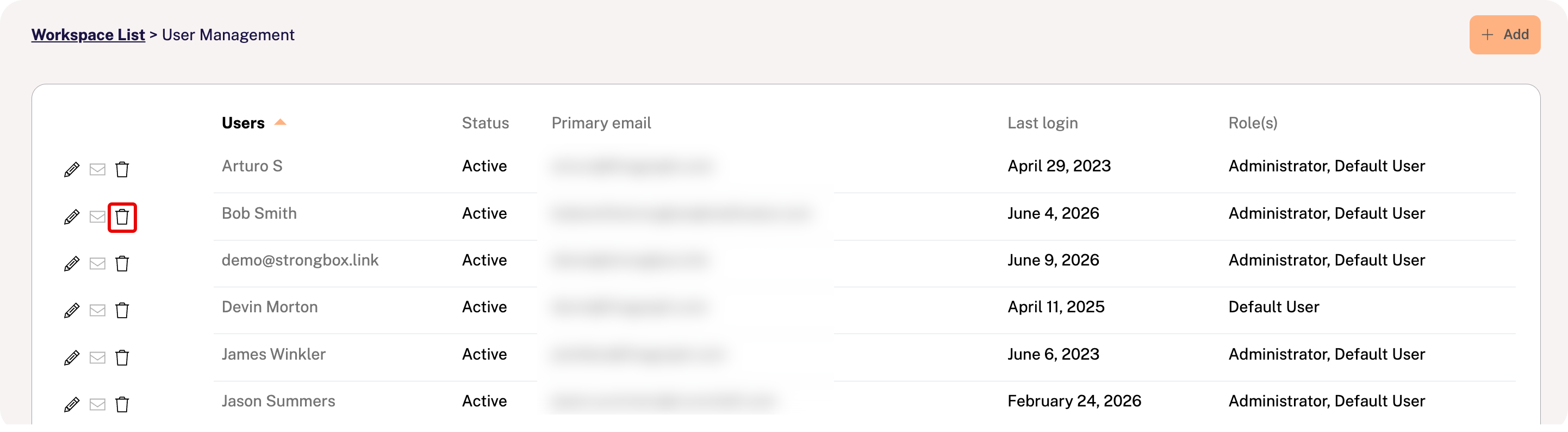
Click your name in the top-right corner of the portal and select User Management.
Find the user on the list and click the trashcan icon at the far left of the row.
This will disable the user's access and trigger an "access denied" error message.