How to confirm your QuickBooks Desktop user is the Admin Account
The Admin user is required to connect QuickBooks Desktop to Crunchafi (Strongbox) Connect
In order to connect to Crunchafi (Strongbox) Connect, you must log in as the original Admin user. If, when you log in, you don't see the window requesting permission to access the company file, it could be that you're logging in as the wrong user.
Confirm that you've logged in as the Admin user with these steps.
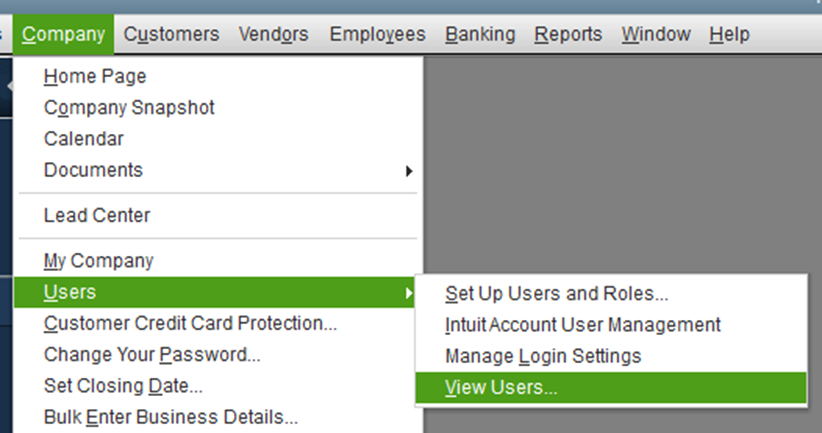
- In QuickBooks, open the Company menu, then select Users, and finally View Users
- This will open the user list and show which user is logged in.
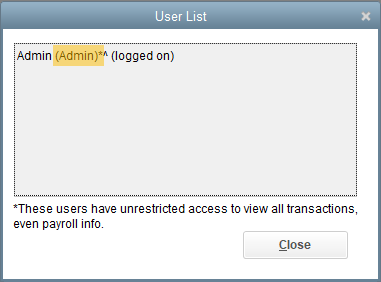
- The role indicated within the parenthesis confirms that this user is the necessary Admin user