
A workspace can represent an ad-hoc project, a client or engagement, an application (e.g., for a loan), or any other use case where your organization needs to store financial data collected via Crunchafi Data Extraction.
Some benefits of workspaces include:
- Improving your ability to organize and secure client data
- Simplifying how you manage accounting system connections
- Enhancing the views available for historical data collections
Any user can create a workspace by following the steps below:
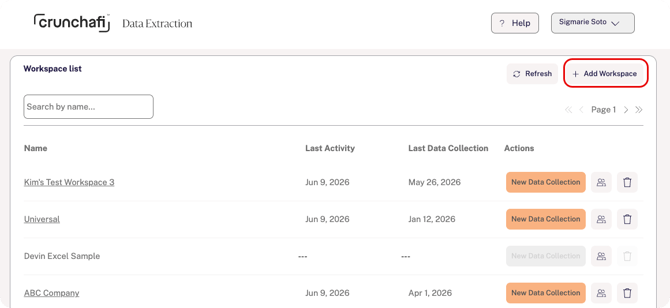
- Click + Add Workspace in the top-right corner of the workspace list page.
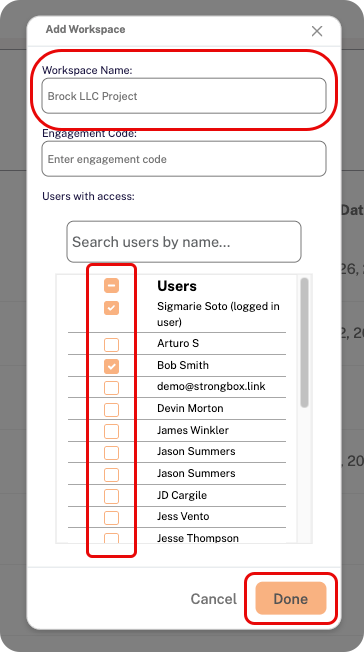
- Enter a name (required) and engagement code (optional) for the workspace.
- Select names of other Data Extraction users who should have access. If there are many users, start typing the name into the search field to filter the list.
- Click Done.
The new workspace appears at the top of the list page. From here, you can initiate an new data collection or manage workspace access.