
-
Click your name in the top-right corner of the portal and select User Management.

-
Click + Add in the top-right corner.

-
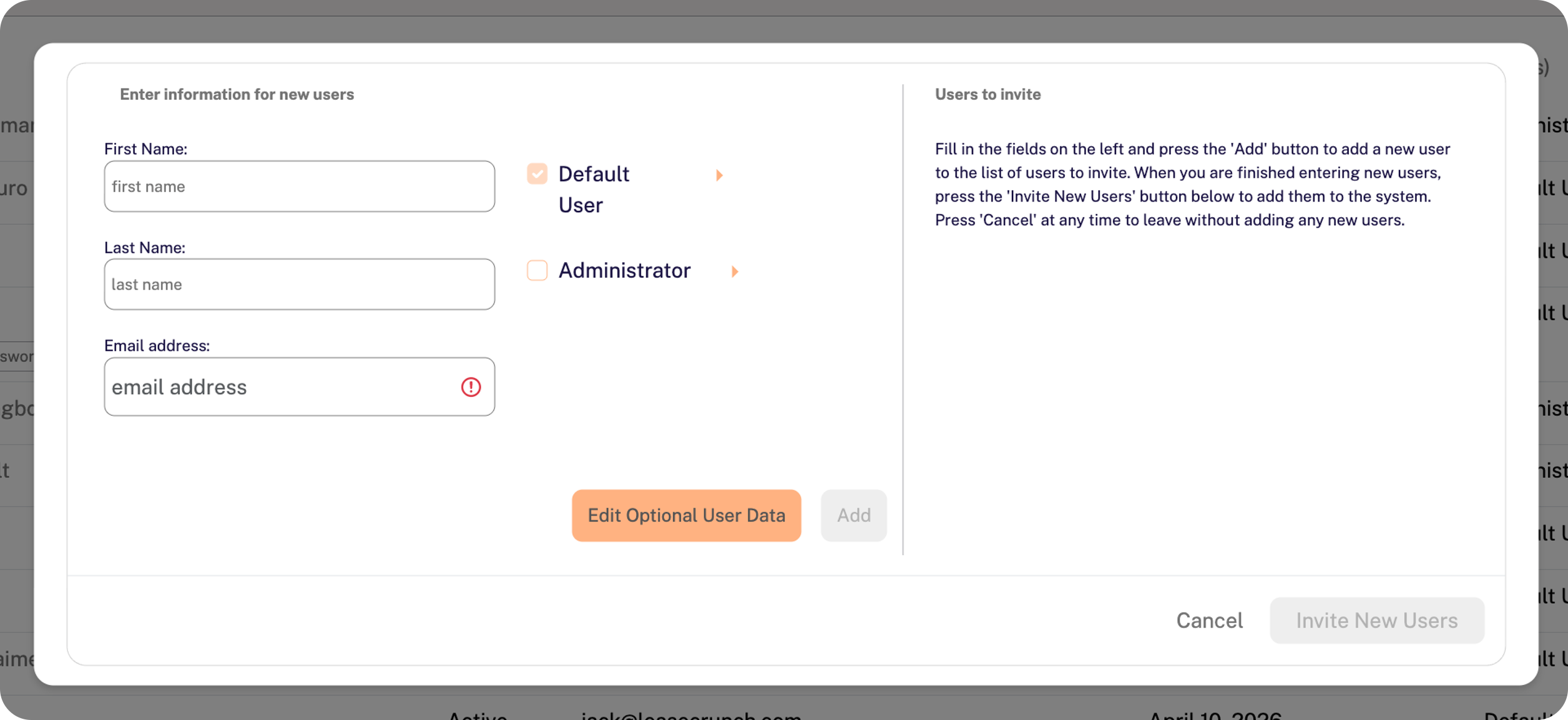
Enter the first name, last name, and email address on the left side of the window.
-
Only select Administrator if applicable. For more information on user roles, click here.
-
Click Add.
-
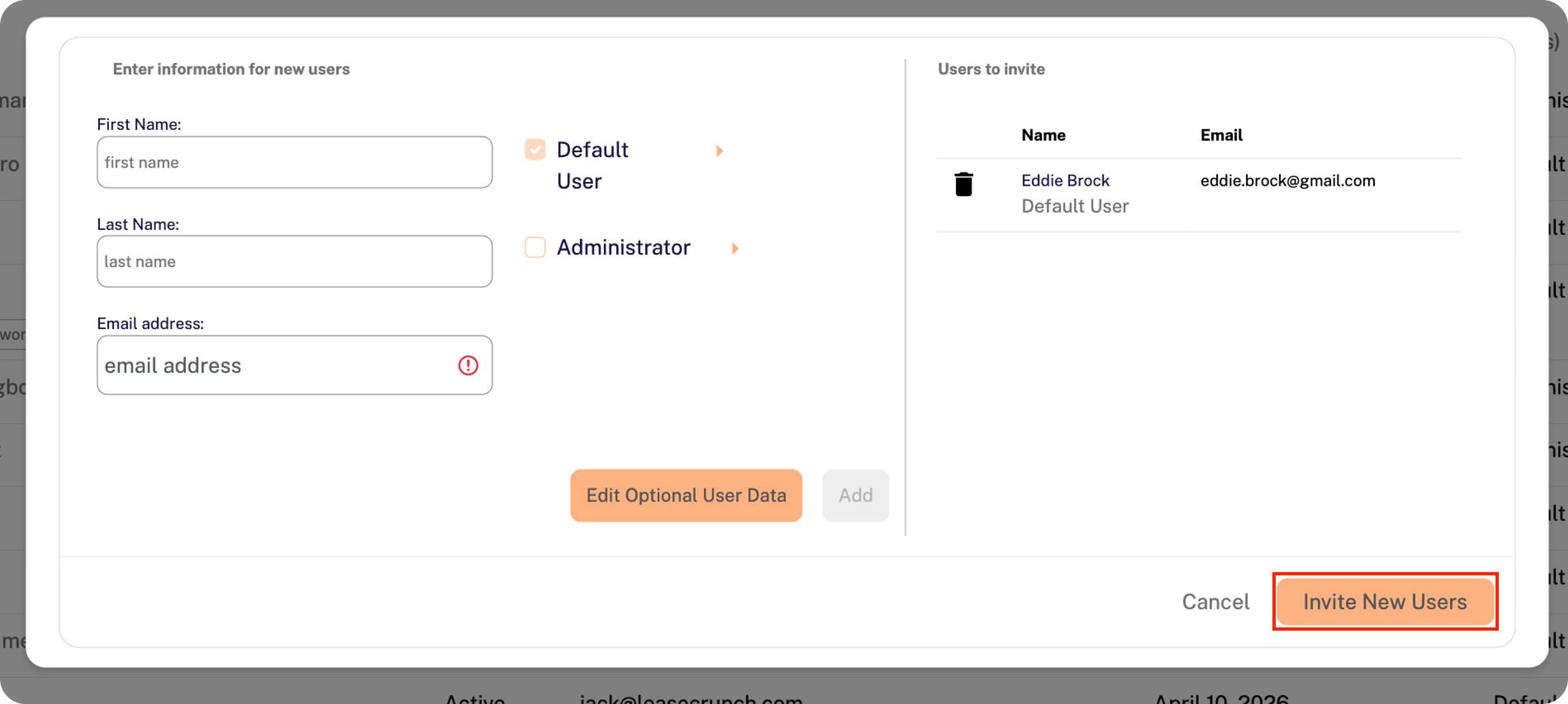
Repeat Steps 3-5 above if you need to invite multiple users at once.
-
Click Invite New Users in the bottom-right corner of the window.
Additional Notes
-
The user(s) will receive an email notification with a link to set up their password.
-
The new user invitation expires within 48 hours of receipt.
-
The invitation can be re-sent from the User Management page if needed.
- If the user does not receive the invitation email, confirm that the inbound email address (noreply@strongbox.ai) is not being blocked by a spam filter.