
1. Go to Administration > GL Accounts.
2. Click the Edit button on the right to change the description and account number for a specific lease component (e.g., Operating Leases, etc.).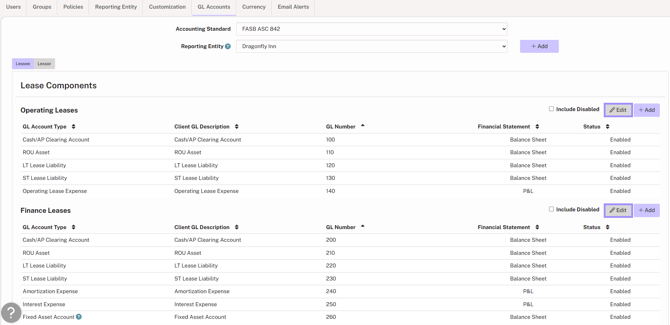
3. To add GL accounts to a lease component, click Add, select the Account Type, and enter the Description and Account Number.
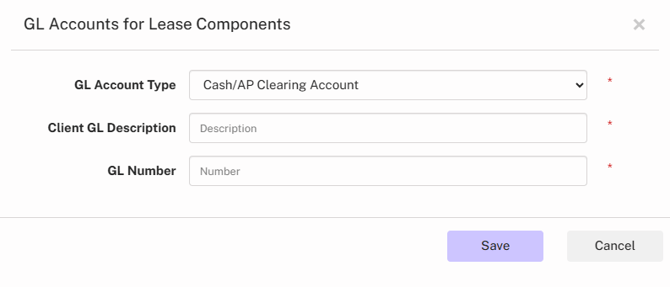
4. Click Save.