
These settings are available to users with the Administrator or Accounting Administrator roles.
Go to Administration > Customization to capture values and other pieces of data that are important for your lease portfolio. This includes expanding the default list of asset types or creating custom fields (see the list below for more information).
Click the +Add button to the right of the field type, enter the value, and click Save.
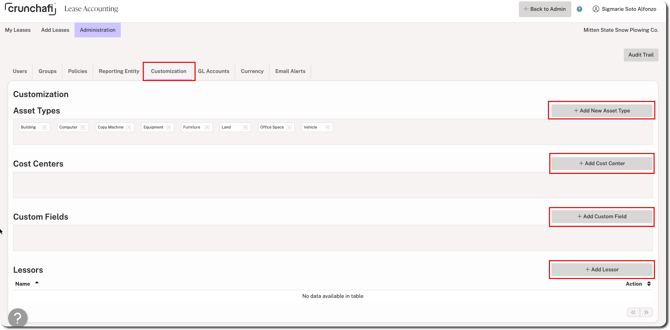
- Asset Types: Add all relevant Asset Types, which will show across all Reporting Entities. Crunchafi includes built-in asset types. Delete or add new options as needed.
- Cost Centers: Can be used to allocate expenses if necessary (optional).
- Custom Fields: Can be added as additional tracking if necessary (optional).
- Lessors: Can add each Lessor (Landlord) for the leased assets. Once added, Lessors can be edited but not deleted.
NOTE
Certain user roles can also add new Asset Types, Lessors, and Custom Fields by using the Add button located to the right of the fields when creating a new lease.