
To access your account details, click your name in the top-right corner and select Manage Account.

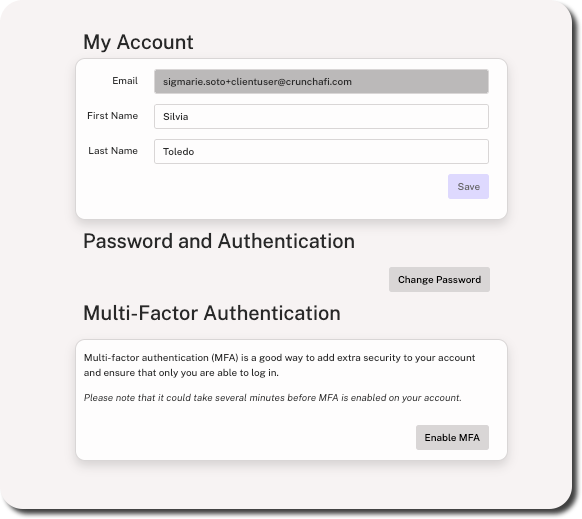
This menu is separated into the following sections:
- My Account: Update the first and last name displayed in your account. The email address cannot be changed from this menu.
- Password and Authentication: Update your account password.
- Multi-Factor Authentication: Enable MFA as an extra layer of security.
Change Password
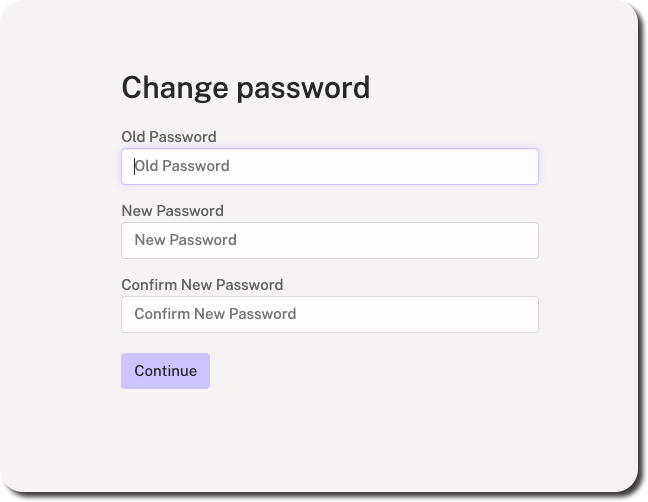
1. Click Change Password under Password and Authentication.
2. Enter your current password.
3. Enter/re-enter your new password and click Continue.
If you have forgotten your password, click here for password reset instructions.