
There are two main ways to find the initial journal entry associated with a lease: 1) from the Data tab of the Journal Entries report, or 2) the Leases tab of any report.
Data tab of the Journal Entries Report
- Select the desired lease on the My Leases tab.
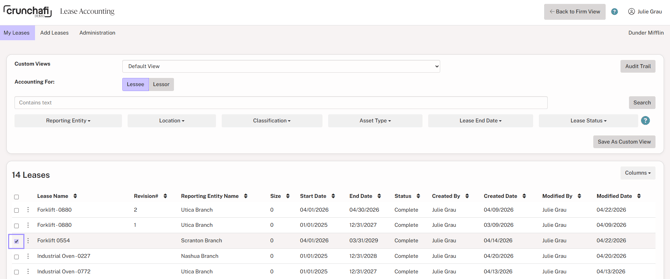
- Select the GL date range for the month in which the lease begins and click Export XLS to the right of Journal Entries under the Reports section.

- The Journal Entries report will download to your downloads folder.
- The first lines of the Data tab of the Journal Entry report show the initial journal entry to recognize the lease. If there are any balances from pre-existing lease accounting guidance, the recognition is also posted in the initial journal entry.

Leases tab of Any Report
- Every Excel report from Crunchafi Lease Accounting contains a Lease tab.
- Select the Lease tab and scroll to the columns labeled Initial Journal Entry in row 1.
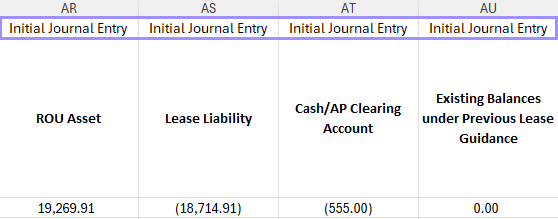
- These columns show the initial journal entry for all leases included in the report query.