
You must be a Firm Administrator to complete the steps below.
1. Click on the relevant account from your Client Accounts page.
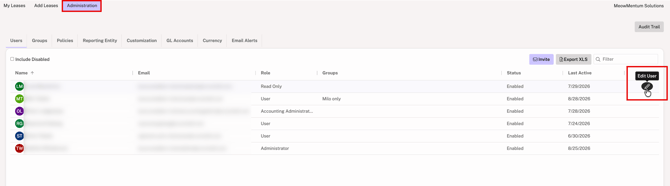
2. Go to Administration > Users.
3. Hover over the user's row and click on the edit icon at the far right.
4. Select the Disabled option for Status.
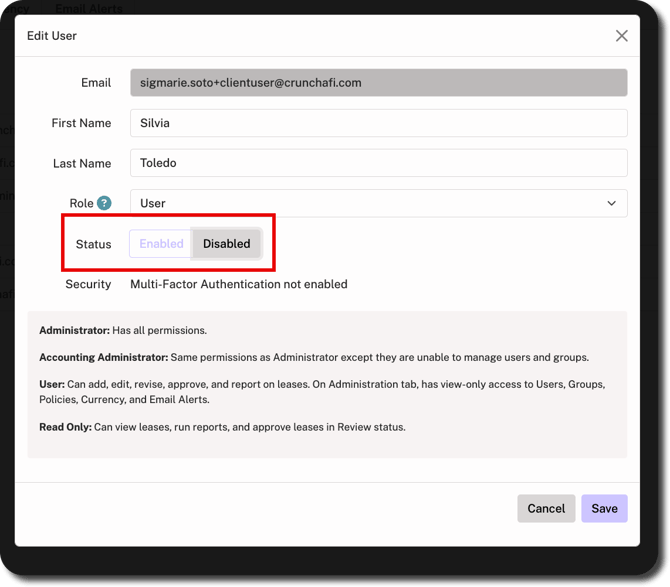
5. Click Save in the bottom-right corner.
Disabled users will no longer have access to the client account and will not appear in the list of users. For instructions on access control for users at the firm level, click here.