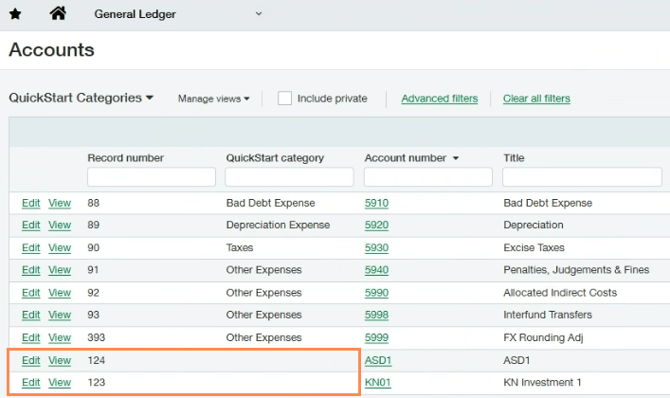
Before connecting a Sage Intacct account to Crunchafi Data Extraction, confirm that none of the QuickStart Categories have been left blank.
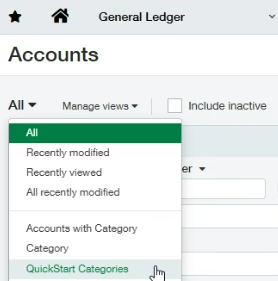
To check, go to General Ledger > General Ledger Accounts > All and change the dropdown to select QuickStart Categories.