
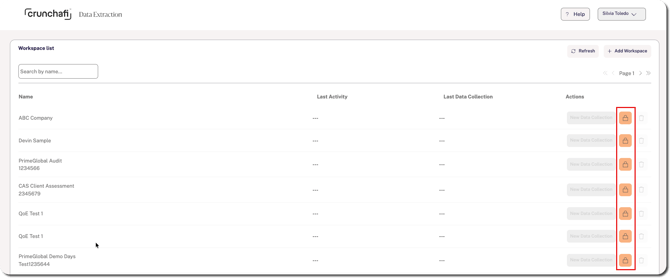
1. Find the workspace on the Data Extraction dashboard.
2. Click the lock icon on the right side to request access.
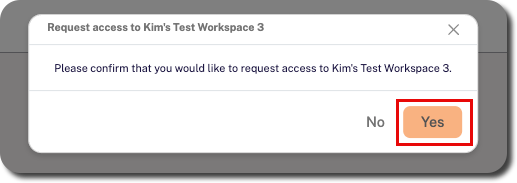
3. Click Yes when prompted to confirm.
Admins will be notified of your request for approval.
1. Find the workspace on the Data Extraction dashboard.
2. Click the lock icon on the right side to request access.
3. Click Yes when prompted to confirm.
Admins will be notified of your request for approval.