
You must log in as the original admin in QuickBooks Desktop to connect using our Crunchafi/Strongbox Connect application. If you do not see a window requesting access permission for the company file, this most likely means you're logging in as the wrong user.
Confirm that you've logged in as the admin user with these steps.
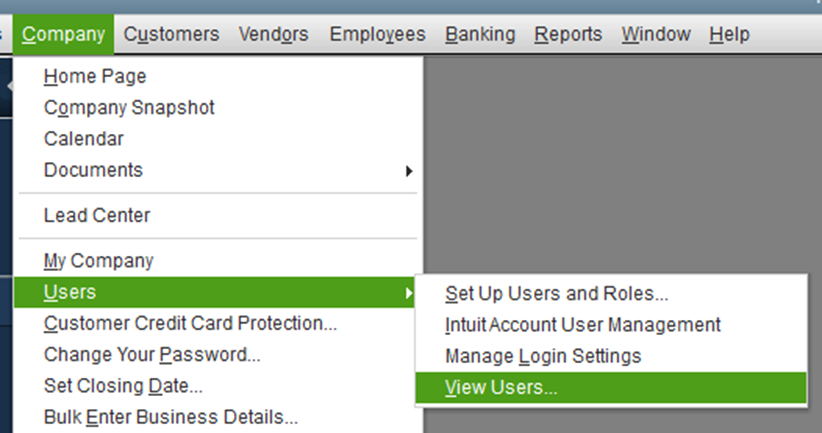
- In QuickBooks Desktop, go to Company > Users > View Users.
- This will open the user list and show which user is logged in.
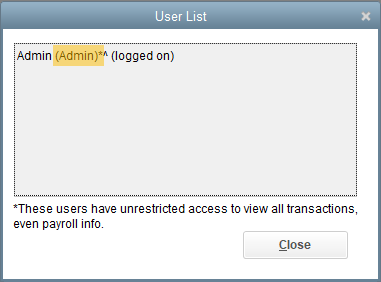
- The role indicated within the parenthesis confirms that this user is the necessary admin user.