
🗒️ NOTE
You typically need admin access with permissions to start and stop Windows services to complete the steps in this article. Restarting may be necessary if you are troubleshooting Remote Agent or other data connection issues.
1. Log into the machine where the BUCS Remote Agent is installed.
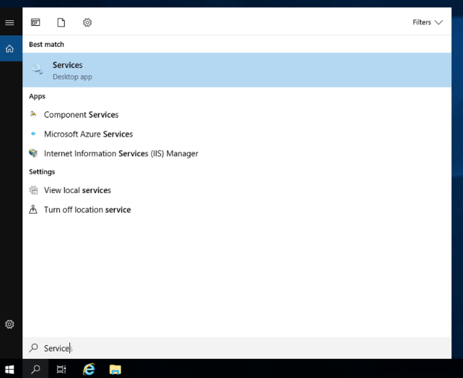
2. In the Window Menu bar, search for Services and then select the Services Desktop app.
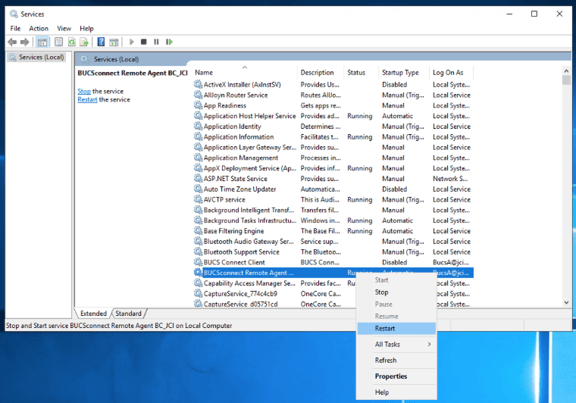
3. Right-click on BUCSConnect Remote Agent from the list and select Restart.
Notify the BUCS team you have restarted the service so they can confirm everything is running as expected.