
⚠️ IMPORTANT
There may be fees associated with setting up a new data connection. Contact your account team to confirm pricing.
Pre-Implementation
To connect, the BUCS Remote Agent must already be installed on the machine where your Acumatica data is located. Remote Agent installation instructions can be accessed here.
Implementation Steps
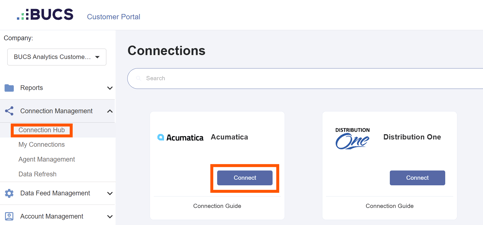
1. Go to BUCS Customer Portal > Connection Management > Connection Hub. Locate or search for the Acumatica connector and click Connect.
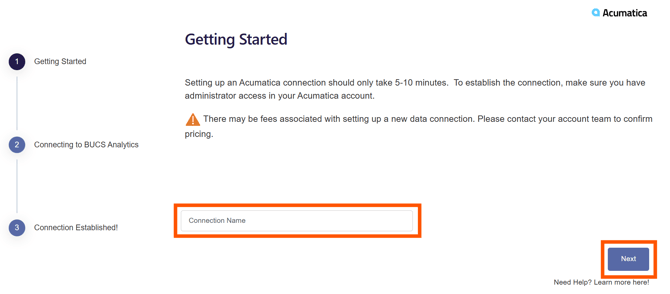
2. Enter a name for your connection and then click Next. The connection name should be descriptive and specific to the connection you want to establish.
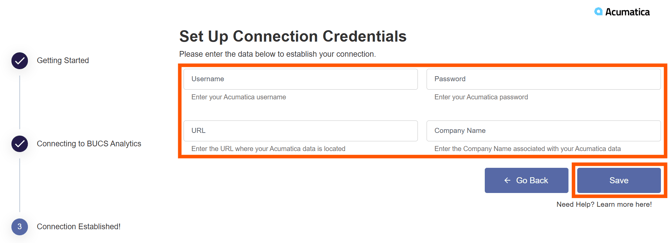
3. Enter your database server Username and Password and the Server Name and Database Name where the Acumatica data is located. Click Save.
A Connection Established message will appear if the connection was successful and data from Acumatica will continuously sync to BUCS. If the connection was not successful, you will be prompted to try again.
🗒️ NOTE
If your Acumatica data does not appear in the BUCS platform within 24 hours, contact your account team for assistance.