
There are various reasons you may need to remove Crunchafi/Strongbox Connect from your QuickBooks Desktop account. For example, if you only need to share your financial data once, then you can uninstall the application after you've completed your connection.
The steps in this article also apply if you need to start clean with a fresh install of Crunchafi/Strongbox Connect as part of troubleshooting connection issues.
The instructions below apply to Windows 11 Pro:
-
On your PC, use the search function and search for Programs.

-
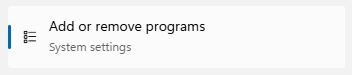
Click Add or remove programs.
-
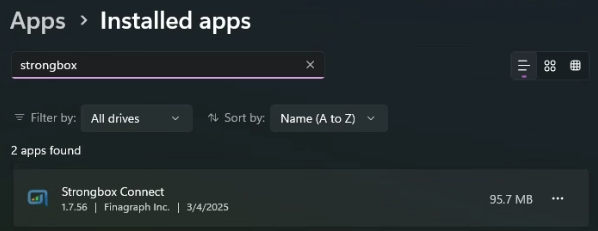
Type Strongbox in the search bar.
-
Click on the ... (more) option for Strongbox Connect and select Uninstall.

This will remove Crunchafi/Strongbox Connect from your computer. If you are still seeing the application, try restarting your device.