
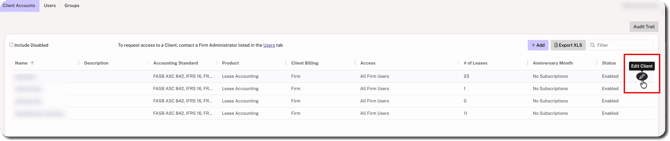
To disable a client, hover over the client's row on your firm's Client Accounts page and click on the edit icon.
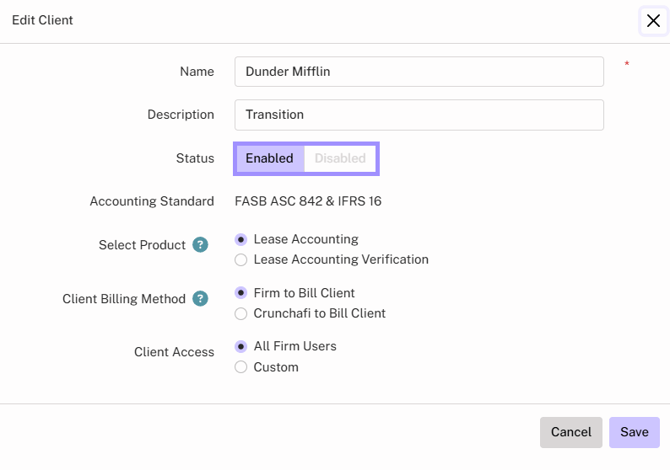
Change the status of the client to Disabled and click Save. Any users added/invited under that client account will no longer have access to log into Crunchafi Lease Accounting.
Important Considerations
Disabling a client account removes it from the Client Accounts list page, disables report exports for the account, and prevents any additional invoices from being generated. Lease data will be retained and viewable.
NOTE
To see disabled accounts, you must first select the Include Disabled box above your Client Accounts list. From the disabled client account, click ⋮ (more) > View on a lease from the My Leases page. All other options reporting/lease options are disabled.

If a client is leaving your firm but would like to retain their access to Crunchafi Lease Accounting, we have options to help. Review our client transition guide and/or reach out to support@crunchafi.com for more information.