
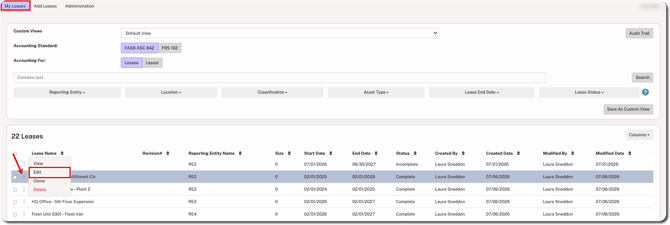
1. Hover over the ⋮ (more) option to the left of the lease name and select Edit.
IMPORTANT
Editing the lease will change all calculations dating back to the lease start date.
2. Select Edit Lease and click Continue.
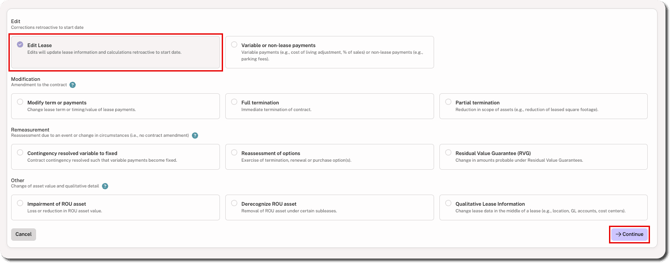
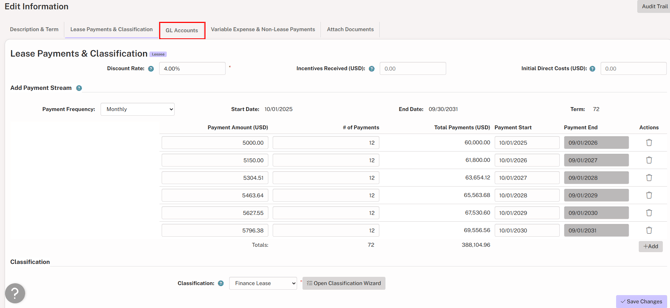
3. Go to the Lease Payments & Classifications tab.
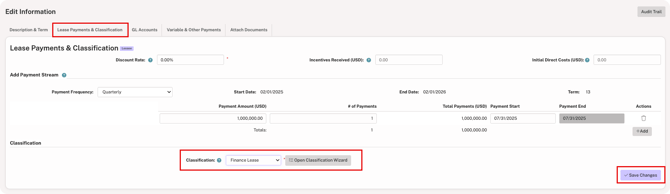
4. Scroll to the bottom and select the correct classification from the dropdown list and click Save Changes in the bottom-right corner.
NOTE
If the classification dropdown is disabled, the Classification Wizard needs to be used to make changes to the lease classification. Click here for details.
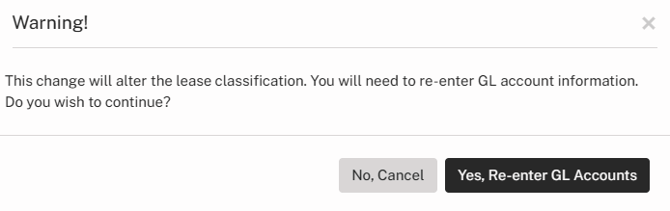
5. Once the classification change is saved, a warning message appears indicating that the GL Account information needs to be updated. Click Yes, Re-enter GL Accounts to continue .
6. Go to the GL Accounts tab to verify and change the GL accounts as needed.
7. Click Save Changes in the bottom-right corner.
If Review + Approve is enabled, you must complete the Review step to finish the edit.