
Looking for a way to stay on top of important lease dates? Crunchafi Lease Accounting has got you covered with our Email Alerts feature!
TOURIAL_EMBED_HERE
With Email Alerts, you and your team can receive notifications about important events related to your leases, all without having to constantly check your calendar or rely on others for reminders.
Getting started
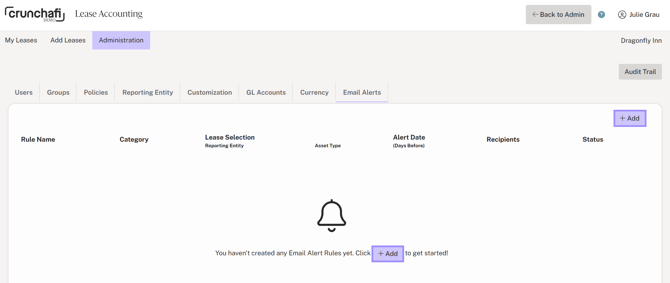
Simply log into Crunchafi Lease Accounting, visit the Administration Tab, and click on Email Alerts. From there, you can create an Email Alert Rule. (We recommend creating a Group on the Groups tab before adding alerts.)
Once the Email Alert Rule is established, select who should receive the notification. Whether it's an individual user, group, or all users, you have complete control over who receives the alerts.
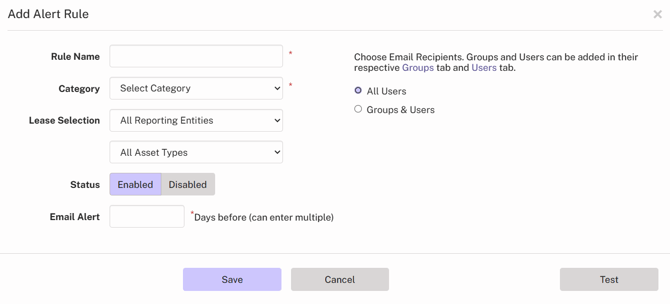
To make changes to the Email Alert Rule, visit the Email Alerts tab and edit the rule as needed.
When testing the email notification, the test email will be sent only to the user testing the alert.
Note: This feature is controlled by users with the role of Administrator, Accounting Administrator, Firm Administrator, and Firm User. However, users who are not Administrators can receive the email notifications. Please make sure @crunchafi.com is on your safe sender list!