
NOTE
Access to Crunchafi Lease Accounting for SSO-enabled organizations is controlled by their internal IT teams. Reach out to your IT team to verify or request access.
If your organization does not have SSO enabled, click here for our password-based login guide.
If you enter your email address on the login page, you will be redirected to your organization's portal to sign in. In most cases, you will be automatically logged in. In some cases, you may be required to enter your organization's credentials if not already authenticated. Below is the general Crunchafi Lease Accounting login page; the portal will be specific to your organization when SSO is enabled.
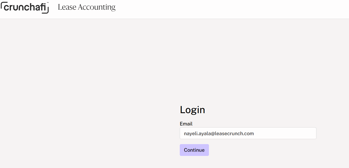
If entering your email address and clicking Continue does not redirect you to your organization's portal, confirm with your IT team that you have been added as a Crunchafi Lease Accounting user.
If your IT confirms you have been added, but you are still not being redirected to your organization's portal, reach out to support@crunchafi.com for additional assistance.